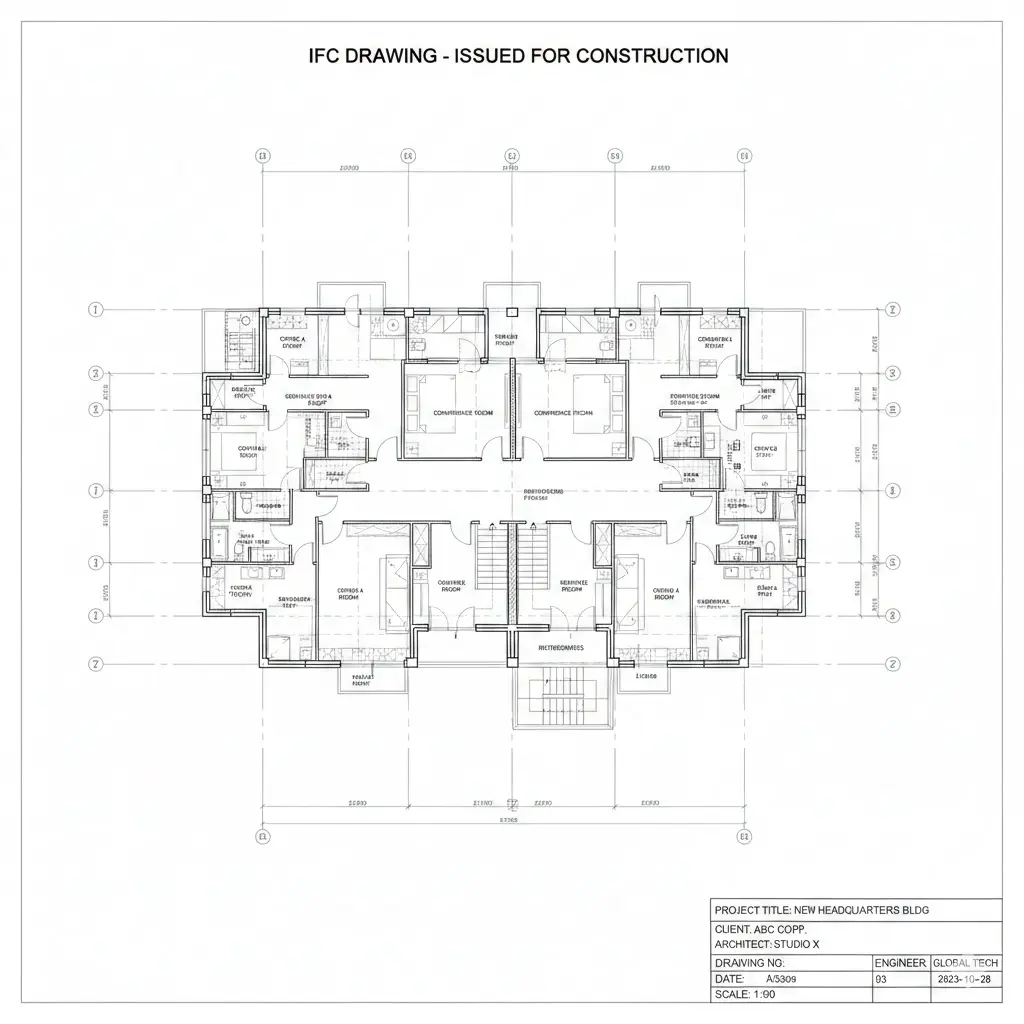
Standing over a set of blueprints, squinting at lines and numbers that are supposed to tell you everything about the project. And yet something feels off. Maybe it’s that ceiling beam that looks fine on paper, but in your gut, you know it’s going to hit the ductwork. Maybe it’s the client’s new island in the kitchen; someone’s going to bump their knee on it the first week.
And the worst part? You can’t see it until it’s too late. You can’t walk the space yet, touch the walls, or feel the flow. You just have to trust that the lines mean what they say.
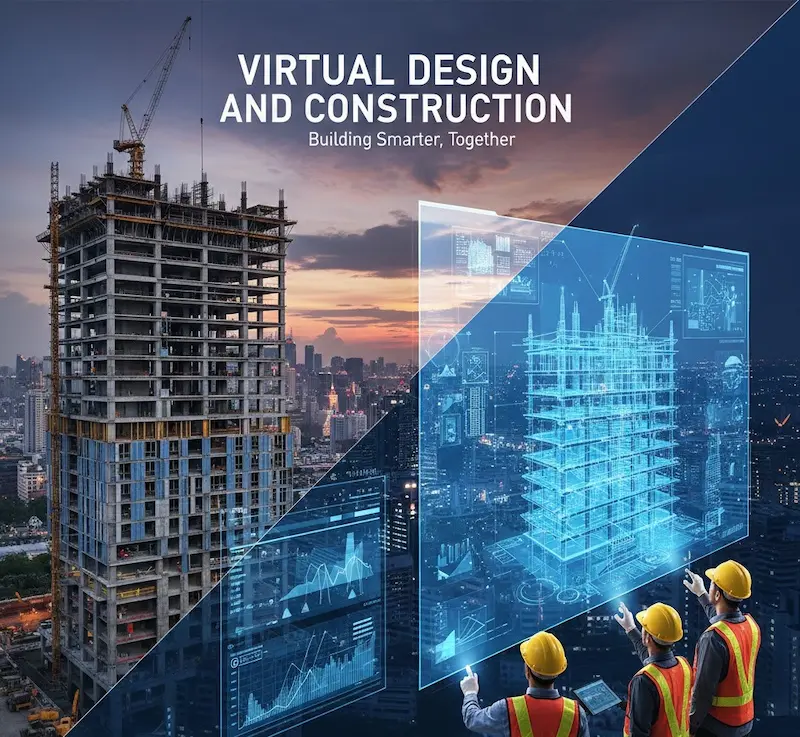
That’s where high-quality 3D architectural rendering changes the game. Suddenly, you’re not guessing anymore. You’re walking through the space, spotting clashes before they happen. You’re showing your client exactly what they’ll get, and they’re nodding. Subcontractors know what to prep, suppliers know what to deliver.
In construction, mistakes cost money and time. And the sooner you stop guessing and start seeing, the sooner you actually build, confidently, without the stress.
What is 3D Architectural Rendering
3D architectural rendering is more than fancy software. It’s taking your blueprints, floor plans, and sketches and turning them into a visual, almost real-life model. You can walk through spaces virtually, check perspectives, and anticipate conflicts. It’s not about replacing technical expertise; it’s about giving everyone a shared understanding.

Who Benefits Most
This isn’t just for architects. Contractors see errors before they happen. Subcontractors understand their work in the context of the full project. Clients grasp the design instantly. Everyone’s aligned, and everyone saves time.
The Different Types
- Static renders: High-resolution images showing rooms or exterior views.
- Walkthroughs: Virtual tours that simulate moving through the space.
- Animations: Short videos demonstrating the project from start to finish.
- Interactive models: Tools that let you explore design options, materials, or furniture placements.
Why Visuals Matter More Than You Think
● The Limit of Lines and Numbers
We’ve all been trained to trust drawings, blueprints, and spreadsheets. They’re supposed to tell the story. Most people don’t actually see a building on paper. Lines and numbers only go so far.
Think about explaining a layout to a client:
- The kitchen island will sit here.
- The wall goes over there.
- And the living room flows into the dining space.
Do they really get it? Often, no. They nod, but their mental image is different. Maybe the island feels too tight. The wall may block natural light. They won’t know until it’s built, and by then, it’s expensive to fix.
● 3D Renders: The Bridge Between Vision and Reality
A high-quality 3D render removes the guesswork. Suddenly:
- Everyone sees the same thing.
- You can rotate, zoom, and virtually walk through spaces.
- Subcontractors spot clashes before they happen.
- Clients understand lines, eliminating the need for translation.
On one project, a flat 2D plan looks fine. But when the 3D render is created, a clash between the HVAC system and a structural beam appears. Catching it early saved hours of rework, thousands of dollars, and a seriously frustrated laborer.
● Faster Decisions & Fewer Headaches
High-quality visuals change how decisions get made:
- Approvals happen faster because clients can see the design.
- Changes are discussed before construction begins.
- Questions that usually spark long RFI chains are gone.
Humans process images exponentially faster than text or numbers. Give people a good render, and you’re speaking their language. You’re letting them experience the space before it exists. That clarity leads to:
- Confidence in the design
- Trust between team members and clients
- Fewer surprises on the job site
● Seeing the Big Picture
Imagine putting on glasses after years of squinting. Suddenly:
- Details jump out
- Problems become obvious
- Everything feels manageable
A 3D render doesn’t just show the building; however, it tells the story of how it works, how it feels, and where it might fail. At Caddrafters, investing in high-quality visuals isn’t about looking fancy. It’s about avoiding costly mistakes, saving time, and making sure everyone is literally on the same page.
Common Pain Points Without 3D Rendering

● Miscommunication That Costs You
Ever been on-site and realized the subcontractor built something completely differently than what you imagined? Yeah, that happens more than anyone admits. When you rely on 2D drawings alone:
- Walls end up in the wrong place
- Fixtures don’t line up
- Electrical or plumbing conflicts pop up last minute
And it’s not that anyone’s lazy, they just can’t see what you’re seeing. Without visuals that everyone can interpret, miscommunication becomes a costly habit.
Think about a project where the electrical lines ran into the ceiling beam. On paper, it made sense. On-site, total disaster. Weeks of rework, frustrated labor, and a client watching every delay. If a 3D render had been available, that clash would have jumped off the screen long before installation.
● Errors In The Plans
Even the best planners can make mistakes. Without a 3D view, tiny errors escalate into big problems. Some examples:
- Misaligned walls or doors
- Overlooked ductwork or piping
- Conflicting structural elements
These aren’t just minor annoyances; they hit your bottom line. The labor scrambles, orders get delayed, and suddenly, what was supposed to be a smooth build feels like a juggling act.
● Slow Client Approvals
Clients aren’t trained to read blueprints. They don’t see lines as we do. So without 3D visuals:
- They hesitate to approve plans
- Questions multiply like rabbits
- Meetings stretch for hours
Imagine pitching a remodel: the client stares at a 2D drawing and frowns. You spend the next week clarifying every detail, answering emails, and holding follow-up calls. With a 3D render, the client nods in understanding during the first meeting. Decisions get faster, stress drops, and everyone’s timeline stays intact.
● Wasted Time and Materials
Errors and miscommunication aren’t just frustrating; they’re expensive, too. Common consequences:
- Ordering the wrong materials
- Re-doing sections of the build
- Paying overtime to fix mistakes
Every time a wall needs moving or a beam needs adjusting, you’re wasting time, money, and patience. A 3D render catches the obvious mistakes before anything hits the site, saving hours and dollars.
● Emotional Toll
Let’s not ignore this. Mistakes stress everyone out:
- Contractors lose sleep
- Teams argue over “who messed up.”
- Clients start doubting your competence
All of that could be avoided or drastically reduced with clear, high-quality visuals. You don’t just save money, you save time, too.
The Key Takeaway
Without 3D rendering, you’re:
- Guessing how spaces fit together
- Explaining layouts repeatedly
- Managing avoidable conflicts
- Paying extra to fix preventable mistakes
With 3D visuals, those headaches drop significantly. You spot errors, align teams, and even impress clients before construction begins. It’s more than convenience and brings strategic advantage.
How High-Quality 3D Renders Reduce Errors
● Clarity in Spatial Relationships
3D rendering lets you see how everything fits together before construction begins. Walls, beams, plumbing, HVAC, everything occupies the space it’s supposed to. And when something doesn’t fit, it’s obvious immediately.
Think about it like walking through the project in real life, but without the risk, cost, or stress. You can rotate, zoom, and inspect details that would be nearly impossible to interpret from a 2D plan.
For example, a contractor once caught a misaligned stairwell in a commercial project because the render made the clearance issues jump out. Fixing it virtually took minutes. However, fixing it on-site would have taken days and thousands of dollars.
● Detecting Clashes Before They Happen
Even with the most careful planning, clashes happen. A beam intersects with ductwork, a plumbing line conflicts with an electrical conduit, or a structural element intrudes into a design feature. These are the kinds of mistakes that ruin schedules and budgets.
But with high-quality 3D renders, you can see these issues long before the crew starts building. The render doesn’t just show the problem; it gives you a clear perspective for solutions. Teams can adjust layouts, move systems, or redesign elements in the model rather than in the field. Early detection is essential for avoiding costly rework.
● Streamlining Communication
One of the biggest sources of errors is miscommunication between teams. Architects, contractors, subcontractors, everyone reads plans differently. A 3D render levels the playing field. Instead of guessing or interpreting lines, everyone sees the same model.
You can annotate it, highlight problem areas, and even walk clients or subs through the virtual space. That shared understanding reduces questions, confusion, and mistakes. Imagine your subcontractors saying, “Ah, now I get it,” instead of sending ten clarification emails.
● Faster Client Approvals and Fewer Revisions
Clients are rarely experts at reading blueprints. Without a visual representation, approvals can drag on for weeks. With a 3D render, the client experiences the design. They can see the flow, the light, the scale, and the finishes.
Decisions happen faster, and revisions happen earlier. That’s huge for avoiding delays and extra costs. One builder shares that a kitchen remodel is approved in a single meeting after showing the client a 3D render, something that normally took 3 rounds of revisions.
● Confidence for the Entire Team
There’s an intangible benefit here, too: confidence. When labor knows exactly what to expect, mistakes drop, morale rises, and everyone works more efficiently.
High-quality 3D renders give you a blueprint you can trust, which makes everyone’s job easier. You’re not just reducing errors, you’re also creating a smoother workflow, fewer surprises, and a calmer, more controlled environment.
Real-World Example
On a mid-size office renovation, the team relied solely on 2D plans initially. Within the first week, they ran into multiple issues: HVAC clashes with structural beams, door swings hitting walls, and lighting conflicts in the conference room. They brought in a 3D rendering team midway, and suddenly, the problems were obvious. Adjustments were made digitally, schedules realigned, and the rest of the project ran without significant setbacks. The cost of the render was a fraction of the rework they avoided.
How GCs Win More Jobs With 3D Visuals?

● Seeing Sells
Clients don’t just buy designs, they buy confidence. When they see a project in 3D, they’re not guessing what it will look like. They’re experiencing it. That experience creates trust. You’re not just saying, “This is what it’ll look like,” you’re showing them. And humans respond to that. They’re more likely to sign off, more likely to trust your team, and more likely to choose you over someone who only hands them a flat plan.
● Elevating Your Presentations
Think about your typical client meeting. Maybe you’re walking them through paper plans or PDFs. It’s functional, but it’s limited. Now imagine sliding in a 3D render. Suddenly, they can:
- Walk virtually through the space
- See the lighting at different times of day
- Understand scale, flow, and materials
That shift changes the conversation. Instead of debating dimensions or finishes endlessly, the client sees the full picture. Questions are more focused, and approvals are faster. Ultimately, they walk out of the room thinking, “These people really get it.” That’s the kind of impression that wins projects.
● Bidding With Confidence
High-quality visuals aren’t just about clients; they’re about your competition, too. When you submit a bid accompanied by 3D renders, you’re showing professionalism, attention to detail, and foresight. It sets you apart from other contractors who rely only on 2D plans.
One subcontractor shared that he landed a tight commercial renovation job simply because the client could see a clear 3D model showing how conflicts were already resolved. That render didn’t just inform, it persuaded.
● Reducing Revisions and Surprises
A winning project isn’t just about getting the contract; it’s about executing smoothly. 3D renders help prevent late-stage surprises that frustrate clients and slow down work. When clients can see the space ahead of time, their expectations align with reality. They request fewer changes mid-build, which saves time, reduces stress, and protects your profit margins. It’s like having a crystal-clear roadmap instead of navigating through fog.
Real-World Example
Take a small residential contractor in a competitive market. He was up against two larger firms for a high-end remodel. He decided to invest in a few detailed 3D renders, showing the client exactly how the new kitchen, living space, and outdoor areas would flow. The client’s reaction? Immediate approval. The clarity and confidence he projected outweighed the bigger names, and he landed the job. That render didn’t just prevent errors, but it won the contract, too.
● Confidence Breeds Momentum
When your clients see precision and foresight through 3D visuals, your team feels it too. Everyone moves faster, communicates better, and makes fewer mistakes. Winning more jobs isn’t just about the first impression; it’s about creating a reputation for reliability, foresight, and clarity. Each render you produce becomes both a tool and a proof point: we know what we’re doing, we see the problems before they happen, and we deliver on time.
So, high-quality 3D renders give you a tangible competitive edge. They make your presentations stronger, speed up approvals, reduce costly revisions, and instill trust in clients. They’re not just pretty pictures; they’re persuasive tools that help you win more jobs while keeping your team and clients aligned.
3D Rendering for Beginners
Let’s get one thing straight: you don’t need a degree in CAD or a PhD in architecture to start using 3D renders. A lot of contractors, subcontractors, and even beginners think it’s too complicated or expensive.
Honestly? That’s just fear talking. Modern tools are surprisingly accessible. With the right software or a trusted rendering partner, you can start producing visuals that are clear, accurate, and professional without tearing your hair out.
How to Choose the Right Tools as a Beginner
There’s a ton of software out there, and it can feel overwhelming. The trick is to match the tool to your needs. Are you a small contractor needing simple walkthroughs? Or are you an architect looking for photorealistic presentations? Here’s what to think about:
- Ease of use: Pick something intuitive that won’t waste hours learning menus.
- Quality: Make sure the render looks professional; fuzzy or low-res images don’t inspire confidence.
- Integration: Can it work with your existing CAD files or BIM models?
You don’t need to buy the most expensive tool first. Start simple, get comfortable, and scale up as your projects and skills grow.
Practical Tips for Beginners
Starting doesn’t have to be painful. A few tips to make it manageable:
1. Focus on Key Areas!
Don’t try to render the entire building at first. Pick the spaces that matter most to clients or your team, like kitchens, lobbies, or main halls.
2. Keep it Realistic!
Early on, don’t overcomplicate with endless textures or lighting experiments. The goal is clarity, not cinematic perfection.
3. Collaborate!
Even if you handle the basics yourself, involve someone experienced for complex areas. A few hours of guidance can save days of trial and error.
4. Test and Revise
Render, review, tweak, treat it like building a miniature version, iterate until it communicates the design clearly.
Common Beginner Mistakes One Must Avoid
It’s okay to stumble; everyone does. Here’s what to watch out for:
- Overloading with details: Too many props, furniture, or textures can confuse rather than clarify.
- Ignoring scale: A room might look good on screen, but feel cramped in real life if proportions aren’t accurate.
- Skipping client feedback: Don’t assume your first render communicates everything. Show it early and adjust based on their response.
Start Small and Building Confidence!
The key is to start small and build gradually. Your first render is just a single room or a simple exterior. Once you’re comfortable, expand to full floor plans or multi-level walkthroughs. Each success builds confidence for you, your team, and your clients. The beauty of 3D rendering is that it’s flexible: you can grow into it at your own pace.
Real-World Example
I know a subcontractor who had never touched 3D rendering before. For a small residential project, he decided to create a simple 3D render of the kitchen and living space. He showed it to the client during the initial walk-through. The client immediately understood the flow and approved the layout on the spot. No confusion, no back-and-forth. That small render saved him hours of explanation and even helped him win a follow-up project because the client trusted his clarity.
Collaboration Between Teams Using 3D Renders
● Everyone Must be on the Same Page
One of the biggest headaches in construction is misalignment between teams. Architects, contractors, subcontractors, they all have their own perspectives, jargon, and assumptions. Without a shared visual, you end up explaining the same thing over and over, clarifying misunderstandings, and chasing details that should have been obvious.
3D rendering solves this. It gives everyone the same frame of reference. When the architect, the builder, and the client look at the same model, confusion drops dramatically. Misunderstandings that normally lead to RFIs, delays, or expensive mistakes are caught before they happen.
● Streamline Communication
Instead of sending a 20-page email or a dozen markups, you can show a 3D render and say, “Here’s exactly what I mean.” Teams can annotate directly on the render, highlight areas of concern, or propose changes visually.
Subcontractors can identify potential clashes, material conflicts, or timing issues long before work begins. Everyone talks the same language, visual, so no translation is needed.
● Reduce Errors Across Trades
Trades often clash on site because they’re interpreting 2D plans differently. Electricians, plumbers, and HVAC crews might all read the same blueprint but see different realities. A 3D render eliminates guesswork.
When everyone walks through the virtual space, ductwork, piping, and electrical lines are visible and coordinated. Mistakes are identified early, saving time, money, and frustration. One general contractor shared that after integrating 3D renders into a commercial project, RFIs dropped by nearly half, and fewer adjustments were needed during installation.
● Client Collaboration Made Easy
Collaboration isn’t just internal. Clients benefit immensely from 3D visualization. When they can experience the design, they’re empowered to give precise feedback early. That prevents the classic “Oh, I thought this would be bigger” or “I didn’t realize that wall blocked the window” moments mid-construction.
Early client input keeps the project on track, reduces change orders, and builds trust. A client who feels seen and understood is far less likely to push back later.
● Remote Teams and Modern Workflows
Many projects today involve remote teams, multiple offices, or consultants scattered across cities or even states. 3D renders bridge that distance. They can be shared online, reviewed in real time, and marked up collaboratively.
Even if the structural engineer is in another state and the subcontractor is on-site, everyone sees the same model—no more confusion from conflicting notes or outdated plans.
The Detailed Benefits of 3D Rendering

● Precision That Prevents Problems
Think about the last time a small measurement error turned into a huge on-site headache. One misaligned beam, one misplaced wall, and suddenly you’re juggling change orders, overtime, and frustrated clients.
High-quality 3D renders give you precision. You can see every element in the context of the full space. Structural components, lighting, plumbing, and furniture placement are all clear before construction starts. Ultimately, you experience fewer surprises, fewer mistakes, and a project that runs closer to the original plan.
Simply put, it’s like having X-ray vision for your build. You can anticipate conflicts, tweak dimensions, and plan for the tricky spots without ever touching a hammer.
● Cost Savings That Add Up
Errors and time cost money. Each revision on-site eats into both. When teams use 3D rendering early, many of these costs evaporate. You catch errors virtually rather than physically, preventing wasted materials and labor. The difference is tangible: fewer rushed fixes, less reordering of materials, and fewer emergency calls to subcontractors. That’s real savings, not just hypothetical.
Think about a project where the HVAC duct was designed without 3D visualization. On-site, it didn’t fit the planned ceiling space. Correcting it required moving ductwork, adjusting framing, and delaying electrical installation. With a render, that issue would have been identified before any installation, saving time, frustration, and thousands of dollars.
● Workflow Improvements
High-quality 3D renders don’t just prevent mistakes; they also improve workflow. Teams work more efficiently when everyone understands the design and the sequencing. Communication is simplified, approvals are faster, and everyone knows what to expect. When subcontractors and contractors are on the same page from day one, tasks flow naturally, and the risk of bottlenecks or delays drops.
A clear visual model also allows you to plan logistics, like material staging or crew scheduling, with confidence. You can anticipate tight spaces, access challenges, and coordination needs before they become problems. This proactive planning is far more effective than reactive firefighting.
Other Benefits of 3D Rendering
- Detects structural conflicts early
- Improves client understanding
- Reduces material waste
- Speeds project approvals
- Enhances subcontractor coordination
- Minimizes rework costs
- Clarifies design intent
- Optimizes scheduling
- Supports permit submissions
- Boosts overall efficiency
How to Put 3D Rendering to Work
● Start Small, Think Big
If you’re new to 3D rendering, don’t feel like you have to overhaul your entire workflow at once. Begin with key areas: a kitchen, lobby, or main office space. Focus on spaces that clients interact with most or that often cause confusion on-site.
Even one room rendered well can prevent costly mistakes and impress your team. Over time, expand into full floor plans and multi-story walkthroughs. The key is to build confidence gradually.
● Integrate with Your Team Early
The sooner you involve your subcontractors and trades in the process, the better. Share the renders with everyone who will touch the project. Let them annotate potential clashes, comment on material choices, or raise workflow concerns before any physical work starts.
Early collaboration doesn’t just prevent errors, it fosters ownership, accountability, and better communication.
● Use Renders as Communication Tools
3D visuals are not just for client meetings. They’re tools for every stage of a project: explaining designs, clarifying schedules, and coordinating trades.
When a team can see the plan instead of interpreting flat drawings, questions drop, confusion fades, and decisions get made faster. Think of renders as a common language everyone can understand.
● Iterate and Learn
Don’t expect perfection on your first try. Early renders might miss minor details or overcomplicate visuals, but that’s part of learning.
Review, refine, and iterate. Each model teaches you what works best for your projects, your clients, and your team. Over time, producing high-quality 3D visuals becomes second nature, and your projects run smoother because of it.
Reduce design errors and impress clients with professional 3D architectural renderings—get started with our expert team today.
Conclusion
3D rendering turns uncertainty into clarity. It’s about seeing your project before it’s built, aligning teams, catching errors, and giving clients confidence. It saves time, reduces costs, and helps you win more work. And perhaps most importantly, it lets you focus on what you do best, building, designing, and creating spaces, without being bogged down by preventable mistakes or miscommunication.