
You’ve got an idea for a building. Maybe it’s a house with a porch you can actually love, or a small office that doesn’t waste space, or a warehouse that won’t cost you your sleep. Architectural drafting is what turns that idea into instructions anyone can build from.
Architectural drafting is the process of creating precise technical drawings and documents in construction. They show the building layouts, structure, construction materials, and how everything will be aligned. Simply put, these are the languages architects, contractors, subcontractors, engineers, and permit authorities must understand and rely on for construction.
Using these drawings, you can keep budgets realistic, cut confusion on site, and avoid tiny mistakes from becoming expensive issues.
Why Architectural Drafting Matters
Think about the last time you misread instructions. Maybe you assembled an IKEA shelf and ended up with 3 extra screws and a shaky shelf. Now scale that to a roof beam. Drafting makes instructions clear, precise, and accurate. That clarity saves time, money, and arguments on-site.
Furthermore, good drafting:
- Protects you, legally, as clear drawings show intent and scope.
- Drives accurate bids, supported by a base that causes fewer assumptions and fewer financial surprises.
Smooths handoffs for engineers, contractors, and permit reviewers, so they can do their jobs without guessing.
What Does Architectural Drafting Include?
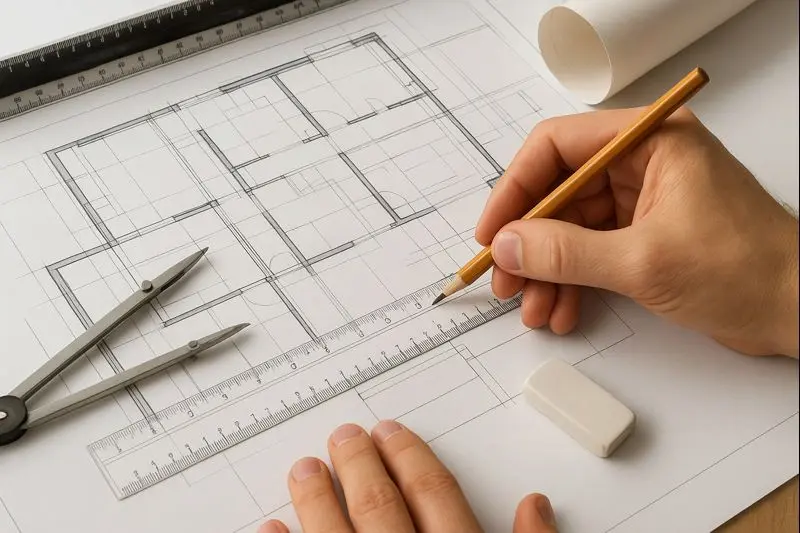
Let’s start with basic plans, which include:
- Floor plans, including layout and dimensions
- Elevations, including how each face of the building looks
- Sections, including slices through the building, showing structure and heights
- Detail drawings for stair details, window jambs, etc.
- Schedules for doors, windows, and finishes
- Notes and specifications for materials, finishes, and references
This data works as a recipe for a construction project for a contractor. High complicated building jobs need a more comprehensive recipe for perfect results. All these details are ready for the proposal to form rough sketches or ideas into permit-ready or build-ready sets.
Who Does Architectural Drafting In Construction?
It varies by firm and project size. Also, person-to-person, title and designation shift, but all perform the same job, which is transforming design into accurate and precise documentation.
- Architects often produce or oversee the drawings for smaller projects.
- In larger firms, drafters or architectural technologists handle the production work under an architect’s direction.
- Some construction projects require high precision and accuracy. It is achievable with 2D drawings or 3D models. Firms hire CAD/BIM specialists for these technical layouts.
Types Of Architectural Drafting
Not all drafting is the same. Here are three common types with their inclusions:
● Residential Architectural Drafting
It focuses on floor plans, elevations, roof plans, basic structural notes, and finish schedules. In deliverables, contractors get a permit set, construction details for typical junctions, foundation and framing basics.
● Commercial Architectural Drafting
In this type, experts focus on accessibility, code compliance, fire egress, and MEP coordination. Regarding deliveries, the commercial architectural drafts include a full construction set, large-scale coordination drawings, and multiple discipline overlays. Learn more about our commercial architectural engineering services
● Industrial Architectural Drafting
They are targeted to utility routing, heavy structure, large clear spans, and specialized equipment placements. And deliverables include detailed structural interfaces, mechanical coordination, and maintenance access details.
Tools Used In Architectural Drafting
Old-school drafting taught patience, involving T-squares, scale rulers, triangles, and vellum. Those basics still help you think in scale and clarity. But the industry is digital now.
Modern drafting tools fall into two categories:
- CAD (2D drafting)
- BIM (3D model-based drafting).
Experts use both for the best outcomes. And common tools you can use per job specifications are given below.
- AutoCAD: It is the ubiquitous 2D drafting tool and great for precise plan production and detail sheets.
- Revit: It is a BIM leader that ties geometry, schedules, and annotations to a single model. This tool is best for integrated coordination.
- ArchiCAD: It is another BIM option, popular for certain workflows and firms.
- SketchUp/Rhino: This tool is ideal for rapid modeling, concept development, and detailing in the hands of skilled users.
- Add-ons & Plugins: These are parametric families, help with clash detection and cloud collaboration.
Each tool solves a different problem. AutoCAD is still king for pure 2D production. Revit is the choice when you need model-based coordination, data extraction, and fewer RFIs. So, choose the tool that aligns with the targeted project’s complexity and team expectations.
Architectural drafting creates precise technical drawings for construction. Contact us today to bring your designs to life.
How The Drafting Process Actually Flows
Here’s the practical sequence you can follow on most construction projects.
1. Schematic Design (SD)
This provides conceptual plans, massing sketches, basic layouts, and early area calculations. All this data supports test options and guides on major spatial moves.
2. Design Development (DD)
These are the refined plans, preliminary elevations, and major system outlines, showcasing details on structural footprint and MEP routing roughs, guiding you on how to lock the main systems and materials direction.
3. Construction Documents (CD)
Construction documents include a complete set of plans, elevations, sections, details, schedules, and specifications for permits and contractor bids. GCs use this data to comprehend the requirements of the targeted construction.
These are the basic steps. When a design matures, more steps come, including iteration, coordination meetings, and changes.
Accuracy, Standards, & a QA Checklist For Perfect Architectural Drafting
In construction, accuracy is the difference between a smooth job and daily RFIs. Here’s a QA checklist you can paste into a project brief:
1. Drawing Standards
- Use consistent scales (plan = 1/8” or 1/4” scale for residential; use metric equivalents where required).
- Assign lineweights intentionally, including thick for sections, medium for walls, thin for details, and dashed for hidden items.
- Use standard layer naming conventions and keep a layer index in the title block.
2. Content QA
- All dimensions are double-checked and dimensioned to the correct face.
- Critical heights and clearances are shown on sections.
- Doors and windows match estimates, including size, swing, and material.
- Structural members must be referenced with sizes and notes that match structural drawings.
3. Cross-Discipline Checks
- MEP penetrations are shown and coordinated with structural openings.
- Clearances for equipment and maintenance access are called out.
- Clash detection runs if model-based coordination is used.
4. Deliverable QA
- Title block updated, including revision history, project phase, and scale.
- PDF and DWG naming standards are enforced.
- Issue notes for architects/engineers to explain assumptions.
Common Mistakes To Avoid During Construction Architectural Drafting
- Dimensioning to centerlines unintentionally.
- Missing wall intersections where different wall assemblies meet.
- Not updating details after a material change.
- Not exporting schedules from the model (manual data entry causes errors).
Tips For Seamless Collaboration & Data Exchange
If you’ve ever watched teams try to merge 3 different file types, you’ve seen why this matters. Here are the practical tips you must follow:
● File Formats & Handoffs
Use DWG for legacy 2D deliverables and consultants who prefer CAD. Similarly, use RVT for central Revit models, getting export IFC for cross-platform exchange. And prefer PDFs for permit submissions and quick review.
● Versioning & Cloud
You must use a single source of truth, like a cloud model or document control system.
Furthermore, use strict file naming and a simple revision log. You must also value clash detection tools before major coordination meetings to avoid unforeseen conditions.
● Communication
Keep a short coordination agenda. When an issue is found, ensure dates are set, and look for the best sought while knowing who owns the fix. Also, put decisions in writing, like an email or meeting notes, and reference drawing revisions.
Architectural Drafting Templates, Libraries, and Automation
Investing in archetypal drafting templates, libraries, and automation tools saves hours and eliminates thousands of mistakes. If you want to go faster and keep quality high, you must use smart systems:
- In templates, use standard title blocks, layers, sheet templates, and view templates.
- For families or libraries, ensure standardized doors, windows, and fixtures. This will ensure less work and fewer errors.
- Regarding parametric elements, they automate repetitive items, like repetitive window schedules.
- Automation & AI are supporting scriptable CAD tasks, batch plotting, and AI-assisted dimensioning. Don’t rely on them, but treat them as productivity tools.

Architectural Drafting Skills and Career Path
If you’re training to be a drafter or want to hire one, focus on the following points:
- Drawing conventions and building codes, getting how things actually get built.
- One CAD package to a strong level, like an AutoCAD or Revit.
- A secondary tool for modeling or visualization, such as SketchUp or Rhino.
- Communication and coordination skills, since being precise with notes and assumptions matters as much as software.
Pro Tip: Certifications and courses accelerate hiring-readiness; some programs bundle AutoCAD with job search help and portfolio development.
Future Trends In the Architectural Drafting World
● BIM Dominance
Many firms require model-based deliverables for coordination and quantities, which is achieved through BIM dominance. Expect to work in model-first environments more often.
● Cloud Collaboration
Face-to-face, unwritten words can cause a bundle of issues in project coordination. Cloud collaboration keeps everyone in the team on the same page by supporting shared models and cloud docs to reduce file emailing and version confusion.
● AI-Assisted Drafting
These tools are used to automate repetitive annotation and initial layouts; useful but still need human oversight.
● Sustainability & Data-Rich Models
Experts who use these models will increasingly carry data to support lifecycle decisions, energy modeling, and material tracking.
How To Start Learning Architectural Drafting
If you want to go from zero to useful in three months, here’s a simple path:
Days 1–14: Learn drawing basics, including scales, lineweights, layers, and reading a plan.
Days 15–45: Pick one software and follow a hands-on project. AutoCAD is good if you need 2D, and Revit if you aim for BIM. Start by building a simple house plan.
Days 46–75: Create a complete set, including a plan, elevation, one section, and a detail. Use templates for the perfect results.
Days 76–90: Coordinate with a fictional structural and MEP file. Run a basic QA checklist and produce a permit PDF.
Cheatsheet For The Final Docs
- In a title block, include project name, sheet name, scale, date, and revision.
- Plan scales, such as 1/4” = 1’-0” for a USA residential project, sections 3/8” or 1/2” for detail. Use metric equivalents where needed.
- Coming to lineweights, consider 0.9–1.0mm for primary outlines; 0.5mm for secondary; and 0.2–0.3mm for fine detail.
- Work on layers, considering walls, doors, windows, structure, MEP, furniture, and notes. Keep prefixing convention: A- for architecture.
- Ensure exports in PDFs + native CAD/BIM files. Also, include a revision log.
Conclusion
Architectural drafting is the practical bridge between an idea and a built place. Learn the conventions, master one tool, and use a checklist. That alone will save time, money, and headaches. And remember that the better your drawings, the fewer problems everyone else has to solve. If you are looking for an architectural drafting service provider, rely on CAD Drafters, providing excellent assistance with quick reponse, fast delivery, and affordable rates.
FAQs
- Is architectural drafting the same as architectural design?
No. Design is about concept, relationships, and intent. However, drafting turns that intent into precise, buildable documents. - Should I learn AutoCAD or Revit first?
If you want 2D production and broad compatibility, start AutoCAD. And if you aim for integrated BIM workflows, start Revit. For employability, knowing both helps. - Can AI replace drafters?
Not fully. AI can speed repetitive tasks and suggest layouts, but human oversight is essential for code, detailing, and real-world constructability. - What’s a permit-ready set?
It is a full, coordinated set of drawings and specifications that meet local code and can be submitted to authorities for fast approval. - What basic standards should every drawing follow?
They should follow consistent scales, clear lineweights, correct dimensioning conventions, readable annotations, and a title block with revision history.