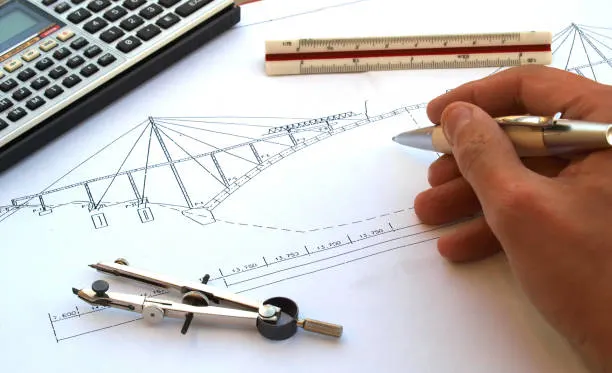
Most “best renovation software” roundups only cover one job: pretty pictures, a floor plan, or a contractor’s invoice. A real renovation touches all three, plus the structural and permit paperwork nobody talks about. This guide walks the full journey: AI tools like Planner 5D and Coahoma that turn a phone photo into a redesign, professional platforms like Chief Architect for structural work, and the estimating software contractors actually bill from.
What’s the Best Home Renovation Software Overall in 2026?
Planner 5D is the best all-around pick for 2026, since it covers 2D floor planning, 3D visualization, and AI-assisted redesign in one platform that’s free to start. But the “best” tool really depends on what stage of the renovation you’re standing in.
- Best overall: Planner 5D
- Best free: Sweet Home 3D
- Best AI tool: Coahoma
- Best for architects: Chief Architect
- Best for contractors: Quote
Each of these is broken down in detail below, alongside five more tools that round out a complete renovation toolkit.
What Is Home Renovation Software and Who Actually Needs It?
Home renovation software is any digital tool that helps plan, visualize, measure, budget, or document a remodel and almost nobody uses just one. The category actually splits into four functional groups:
- Design and visualization tools (2D/3D)
- Measurement apps
- Estimating and budgeting platforms
- Project management or technical documentation tools
Who needs which group depends on the person. A homeowner sketching a kitchen layout wants a visualization tool. A contractor pricing the job wants an estimator. An investor flipping three houses a year wants both, fast. And anyone touching a load-bearing wall eventually needs someone offering actual renovation design services, not just a design app.
This guide is for DIY homeowners, real-estate investors, architects, designers, and contractors. The category is expanding rapidly: Harvard’s Joint Center for Housing Studies estimates annual homeowner remodeling and repair spending at $522 billion in 2026, following an interior design software market valuation of $5.7 billion in 2025, according to IMARC Group.
How Did We Test and Rank These Home Renovation Software Tools?

We ranked every tool on six criteria and disclosed our process upfront: no tool here paid for placement, and we don’t sell competing software.
Our evaluation covered: pricing transparency, ease of use for non-designers, feature depth within each tool’s category, platform support (web, iOS, Android, desktop), review consistency across independent platforms, and data privacy/export policy.
The Process:
- Identified tools by category
- Verified current pricing directly from vendor pages
- Matched features against real renovation tasks
- Cross-referenced sentiment on Cantera, G2, Trust pilot, the App Store, and Google Play, then
- Ranked
Pricing was checked as of September 2026 and can shift, so confirm current rates before buying.
Pro tip: Open a vendor’s pricing page directly before subscribing: third-party listing sites often lag behind real-time changes by weeks.
How Do the Top Home Renovation Software Tools Compare at a Glance?
Planner 5D leads overall, but the right tool changes based on category (design, AI, CAD/BIM, or estimating), which is exactly why this table spans all four instead of ranking one narrow niche.
| Rank | Tool | Category | Best For | Platform | Price/Free Plan | Standout Feature |
| 1 | Planner 5D | Design + AI | Beginners | Web/iOS/Android/Win/Mac | Free; paid ~$20–30/mo. | AI photo-to-redesign |
| 2 | Chief Architect | CAD/BIM | Architects | Windows/Mac | From ~$229/mo. | Auto framing & rooflines |
| 3 | Quote | Estimating | Contractors | Web/iOS/Android | From $29.99/mo. | Satellite measurement |
| 4 | Coahoma | AI | AI floor plans | Web | Free; paid credits | AI floor-plan generation |
| 5 | Room Sketcher | Design (2D) | 2D floor plans | Web/iOS/Android | Free; Pro ~$20/mo. | Sketch-to-plan redraw |
| 6 | Cadre | Design (3D) | Client renders | Web | From ~$129/mo. | Same-day photoreal renders |
| 7 | Snap rude | AI/CAD-BIM | Firms | Web | Custom quote | AI-generated BIM massing |
| 8 | magi plan | AR/Measurement | Room scanning | iOS/Android | Free; paid pro tiers | LiDAR autos can |
| 9 | Builder trend | Estimating/PM | Whole projects | Web/iOS/Android | From ~$339/mo. | Budget vs. actual tracking |
| 10 | Sweet Home 3D | Design (2D+3D) | Free/budget pick | Win/Mac/Linux | 100% free | No paywall, ever |
Which Home Renovation Software Tools Made the Top 10 List?
Planner 5D, Chief Architect, and Quote top the list, but each of the ten below earns its spot for a different stage of the renovation.
Planner 5D
Best Overall. G2 and Cantera reviewers consistently praise its AI Studio, which turns a room photo into a redesigned 3D scene, alongside solid 2D floor planning and VR walkthroughs.
Price: Free plan; paid roughly $20–$30/month or up to ~$120/year.
Platform: Web, iOS, Android, Windows, Mac.
Pros: Beginner-friendly, genuine 2D-to-3D pipeline.
Cons: Full furniture catalog sits behind a paywall; some reviewers flag confusing regional pricing.
Verdict: The first tool most homeowners should open. Unlike Coahoma, it leans toward visualization over AI floor-plan generation.
Chief Architect
Best for Architects & Structural Renovations. Built specifically for residential design, it auto-generates framing plans, rooflines, and 360° renders from a single model.
Price: Subscription from around $229/month (~$1,995/year), free trial available.
Platform: Windows, Mac.
Pros: Genuinely professional output, strong community support.
Cons: Steep learning curve, expensive for occasional use.
Verdict: The closest thing to a CAD/BIM tool a solo residential designer can run alone. Compared with structural drafting services delivered by a dedicated team, it’s faster for concepts but slower for code-compliant construction sets.
Quote
Best for Contractor Estimates & Budgets. A CRM-meets-estimator with Map Measure Pro, satellite-based remote measurement built right into quoting.
Price: Five tiers from $29.99 to $699/month, 14-day free trial.
Platform: Web, iOS, Android.
Pros: Transparent pricing, unlimited estimates on every tier.
Cons: Higher tiers needed for team features.
Verdict: The leanest way for a small renovation contractor to quote, invoice, and get paid. Builder trend goes further into full project management, at a much higher price.
Coahoma
Best AI Design Tool. Generates full floor plans and photoreal renders from rough sketches or text prompts, popular with interior designers scaling client volume.
Price: Free plan; paid rendering-credit plans for higher-resolution exports.
Platform: Web.
Pros: Fast AI floor-plan generation.
Cons: Rendering credits add up on larger projects.
Verdict: Best AI pick when you need a layout, not just a mood board.
Room Sketcher
Best for 2D Floor Planning. Reviewers highlight its sketch-to-plan redraw service, which converts a hand drawing or blueprint into a clean 2D plan.
Price: Free plan; Pro around $20/month, Team from ~$30/user/month.
Platform: Web, iOS, Android.
Pros: Accurate measurements, fast redraws.
Cons: Credit-based system confuses new users.
Verdict: The most dependable 2D-first tool on this list.
Cardio
Best for 3D Rendering & Client Presentations. Built for design-build firms who need same-day photorealistic renders to close a sale.
Price: Starts around $129/month, free trial available.
Platform: Web.
Pros: Fast render times, presentation-ready output.
Cons: Priced for professionals, not casual users.
Verdict: The tool contractors use to sell the job before swinging a hammer.
Snap rude
Best AI-Powered BIM for Architects. Generates early-stage BIM massing models from sketches, aimed at firms doing structural additions.
Price: Subscription-based, custom quote per firm.
Platform: Web.
Pros: Genuinely AI-native BIM workflow.
Cons: Overkill for cosmetic remodels; pricing isn’t public.
Verdict: Worth it only once a project needs real structural coordination.
Magi plan
Best AR Room-Scanning Tool. Uses your phone’s camera or LiDAR to autos can a room into a floor plan with measurements in minutes.
Price: Free to download with in-app purchases; paid pro plans unlock unlimited exports and reports.
Platform: iOS, Android.
Pros: Genuinely fast, integrates with Xactimate.
Cons: Measurement accuracy dips in tight or cluttered rooms.
Verdict: The fastest way to get a real floor plan without a tape measure.
Builder trend
Best for Managing the Whole Renovation Project. Combines scheduling, change orders, and budget-vs-actual tracking for contractors juggling multiple jobs.
Price: Typically $339–$1,099+/month depending on tier, quote-based.
Platform: Web, iOS, Android.
Pros: Deep financial tracking.
Cons: Genuinely expensive, steep onboarding.
Verdict: Best once a renovation outgrows spreadsheets and group texts.
Sweet Home 3D
Best Free Pick. Open-source 2D and 3D planning software with no paywall, subscription, or watermark, ever.
Price: Completely free.
Platform: Windows, Mac, Linux.
Pros: Zero cost, no account required.
Cons: Dated interface, smaller furniture catalog than paid rivals.
Verdict: The honest answer to “is there free renovation software that doesn’t try to upsell me?”
Skip permit delays and turn your 3D designs into permit-ready blueprints!
Which Software Is Best for 2D Floor Planning?
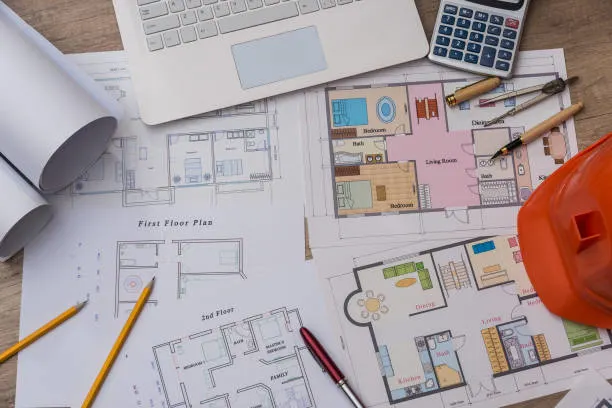
Room Sketcher is the best dedicated 2D floor planning tool, judged on measurement accuracy, wall/door/window libraries, and export options.
Among 2D-first tools, Room Sketcher, Floor planner, and Smart Draw all compete on ease of use, but Room Sketcher’s redraw service and PDF/DXF export make it the most practical for someone converting an old blueprint into a working 2D floor plan. Sweet Home 3D also does 2D well, entirely free, if you don’t need the redraw service. Best for 2D floor plans: Room Sketcher.
Which Software Is Best for 3D Visualization and Rendering?
Cardio produces the fastest professional-grade 3D renders, judged on render speed, output quality, and VR/360° walkthrough support.
Planner 5D and Home By Me are strong for personal projects, while Coahoma and Home style lean toward AI-assisted rendering at scale for design firms. Cardio wins on turnaround time when a contractor needs a photorealistic render the same day it’s requested, tying directly into the AR/360° walkthrough trend covered later in this guide. Best for 3D visualization: Cardio.
Which AI Design Tools Are Worth Using for a Renovation in 2026?
Coahoma and Snap rude currently do the most useful “AI” of any tools on this list, and everything else on the market falls into a narrower box.
“AI-powered” gets marketed loosely, so it helps to know what each tool’s AI actually does:
| Tool | Photo Redesign | Floor Plan Gen. | Style Transfer | Voice-to-Estimate |
| Decays | Yes | No | Yes | No |
| Planner 5D (AI Studio) | Yes | Limited | Yes | No |
| Coahoma | Limited | Yes | Yes | No |
| Handoff | No | No | No | Yes |
| Snap rude | No | Yes (massing) | No | No |
Decays and Planner 5D’s AI Studio redesign a photographed room; Coahoma and Snap rude generate an actual layout. Handoff sits in a different lane entirely, turning a spoken job description into a contractor estimate, a trend that mirrors how AI in construction is reshaping documentation work more broadly.
Which CAD/BIM Software Do Architects Use for Residential Renovation?
Chief Architect and Revit lead residential CAD/BIM, but most homeowners don’t need either one until the renovation gets structural.
Design apps handle cosmetic changes: new finishes, a reconfigured kitchen layout, updated fixtures. But once a project involves removing a load-bearing wall, adding square footage, or anything that needs stamped construction drawings for a permit, that’s a different category entirely. Architects turn to Autodesk Revit or Graph iSOFT Archibald for large or multi-trade jobs, Chief Architect for residential-focused work, and Snap rude or SketchUp Pro for faster conceptual modeling, all generally producing stamped construction drawings that follow AIA conventions.
If your renovation touches structure or permits, you need this category, not a design app.
Note: Most permit offices won’t accept a design app’s export as a submittal set, so confirm what your local jurisdiction requires before you assume a 3D model alone gets you approved.
Which Software Is Best for Remodeling Estimates and Contractor Budgets?
Quote is the best all-around estimating tool for renovation contractors, based on pricing transparency and how much it replaces in a typical tech stack.
Estimating software does what design software doesn’t: line-item material and labor costs, change-order tracking, job costing, and client-facing proposals a homeowner can actually sign. Beyond Quote and Builder trend, contractors also lean on Job Tread and Jobber for scheduling-heavy work, Clear Estimates for pure line-item takeoffs, Contractor+ for a lighter free-forever option, and Handoff for AI-assisted quoting, all of which start from the same core discipline as a proper construction takeoff. Best for contractor budgets: Quote.
Is There Good Free Home Renovation Software?
Yes, Sweet Home 3D is genuinely free forever, not just a free trial dressed up as a permanent plan.
Sweet Home 3D, Planner 5D’s free tier, Decay’s free plan, Contractor’s free-forever tier, and Romeos all let you start at zero cost. Before committing to any “free” option, watch for: forced watermarks on exports, hard caps on saved projects, limited render credits, restricted furniture catalogs, blocked file exports, and personal-use-only license terms that quietly exclude anyone billing a client.
Which Renovation Software Is Best for Your Project Type or Budget?
There’s no single best tool: the right pick depends entirely on who’s using it and why.
- First-Time DIY Renovator: Planner 5D: free, visual, forgiving.
- Kitchen/Bath Remodeler on a Budget: Sweet Home 3D: zero cost, no upsell.
- Whole-Home Renovation: Room Sketcher for plans, Builder trend to manage the build.
- Real-Estate Investor/Flipper: Quote plus magi plan: fast quotes, fast measurements, multiple properties at once.
- Homeowner Managing a Contractor: Builder trend’s client portal for shared visibility on budget and schedule.
- Tech-Forward, AI-First Homeowner: Coahoma or Decays for instant AI redesigns.
- Architect/Designer Doing Structural Work: Chief Architect or Snap rude, backed by professional architectural drafting services for the construction set.
What Does the Renovation Software Workflow Look Like From Idea to Completion?
A full renovation moves through five software stages, not one. Most people only ever use the first.
- Visualize: AI or 3D tools (Planner 5D, Coahoma) shape the concept.
- Measure the space: 2D plans or AR/LiDAR scanning apps like magi plan capture real dimensions, the same accuracy standard professional building measurement services are built around.
- Budget & estimate: Quote or Clear Estimates turn the concept into a number.
- Get technical/permit documentation: required only if the work is structural.
- Manage the project: Builder trend or Job Tread handle contractor communication through completion.
Each stage uses a different tool category, which is exactly why no single app “does renovation software” end to end.
Pro tip: Don’t skip straight from visualizing to budgeting. A rough guess at square footage is the single biggest cause of blown renovation estimates.
How Do Architects and Contractors Use This Software Differently From Homeowners?
Architects need code-compliant documentation, contractors need cost control, and homeowners need visibility: three different jobs, three different tool categories.
| Persona | Primary Need | Recommended Tool Category |
| Architect | BIM docs, code compliance, construction drawings | Revit, Archi CAD, Chief Architect |
| Contractor | Estimates, change orders, job costing | Quote IQ, Job Tread, Builder trend |
| Homeowner | Visualization, budget tracking, communication | Planner 5D, Room Sketcher |
Adjacent to all three: Financing tools, permit-tracking apps, and contractor-vetting platforms increasingly plug into this stack, since a design and a budget mean little without financing approved and a vetted crew to build it, and a stamped set of construction documents to hand the permit office.
What Should You Check Before You Pay for Renovation Software?

Check pricing transparency and data privacy before anything else: both are where renovation software quietly disappoints people.
- Published pricing vs. “contact sales” gatekeeping
- Free trial length and whether it auto-charges on expiry
- Data export/portability if you cancel
- A clear data privacy and security policy for your floor plans and photos
- Platform compatibility with your devices
- Learning curve relative to your skill level
- Support quality (chat, phone, or community forum only?)
- A note on sustainability: some tools now flag eco-material options or basic solar design compatibility, worth a look if energy efficiency is part of the plan
What Do People Also Ask About Home Renovation Software?
What is the best home renovation software overall in 2026?
Planner 5D leads in 2026 by combining free access, AI-powered redesigns, and 2D/3D planning. It lets homeowners and pros generate floor plans, test materials, and create realistic visual renders easily.
Is there free home renovation software that’s actually usable?
Yes, Sweet Home 3D is a fully free, open-source program without paywalls or watermarked exports. You can draw precise walls, place catalog furniture, and view real-time 3D room layouts.
What’s the difference between home design software and home renovation software?
Home design software focuses on aesthetic visualization like décor and 3D rendering. Renovation software goes further by capturing exact measurements, calculating material takeoffs, tracking budgets, and generating construction-ready blueprints.
Which software is best for a kitchen or bathroom remodel?
Use Room Sketcher or Planner 5D to map cabinet layouts, appliance clearances, and plumbing in 2D and 3D. Once finalized, switch to Quote IQ to build itemized contractor estimates for construction.
Can I use AI to redesign my home before renovating?
Yes, tools like Planner 5D’s AI Studio, Decays, and Coahoma generate instant redesigns from one photo. They analyze space and lighting to visualize new styles before physical work begins.
Do I need CAD or BIM software for a home renovation?
Only if your renovation alters structural load-bearing walls, adds square footage, or requires official building permits. CAD and BIM tools like Chief Architect generate technical blueprints for code compliance.
What software should I use to get a renovation budget or estimate?
Use Quote for simple line-item bid creation and material estimating. For larger, complex renovations requiring total financial tracking, upgrade to Builder trend to manage actual costs, change orders, and budgets.
Is there renovation software with AR or room-scanning features?
Yes, magi plan uses your mobile camera or LiDAR scanner to transform physical spaces into scaled 2D floor plans. It automatically measures dimensions, detects corners, and calculates material quantities on-site.
What’s the best renovation software for beginners with no design experience?
Planner 5D is ideal for beginners thanks to its intuitive drag-and-drop interface, pre-built furniture items, and simple controls. You can create room layouts quickly without needing prior technical skills.
What’s the best renovation software for managing a contractor?
Builder trend is top-ranked because its dedicated client portal provides real-time access to project schedules, budget updates, and progress photos, keeping homeowners and contractors aligned throughout the entire renovation process.
How much does home renovation software typically cost?
Costs range from completely free open-source tools like Sweet Home 3D to mid-tier design apps at $20–$50 monthly. Enterprise contractor platforms like Builder trend cost $300 to $1,000+ per month.
Is renovation software safe to use with my floor plans and photos?
Generally yes, but always review privacy policies before uploading home floor plans or interior photos. Verify whether cloud-based platforms store data securely or use uploaded images to train AI models.
What’s the best alternative to Chief Architect or Quote?
SketchUp Pro and Archibald offer excellent 3D design and technical drafting alternatives to Chief Architect. For estimating alternatives to Quote, Jobber and Job Tread provide powerful invoicing and job-costing features.
Can architects and contractors use the same software as homeowners?
Rarely, as professional platforms like Revit or Builder trend require technical workflows that overwhelm homeowners. Conversely, basic consumer design tools lack the structural precision and detailing required by licensed contractors.
What software works best for a whole-home renovation vs. a single room?
Single-room projects run smoothly using simple visual apps like Planner 5D. Whole-home gut renovations require comprehensive management software like Builder trend to handle multi-phase scheduling, trade subcontracts, and overall budgets.
Bottom Line
Planner 5D is best for starting, Quote for budgets, and Chief Architect for structural work. Always choose tools based on your project stage. While remodeling spending tracks toward $522 billion this year, 3D software renders alone won’t pass city hall inspections. The moment your project involves structural changes, room additions, or load-bearing walls, municipal permit offices require stamped construction drawing sets.
Our experts at CAD Drafters bridge the gap between 3D design software and permit approval. We transform concepts from Planner 5D, Chief Architect, SketchUp, or Revit into precise, code-compliant architectural blueprints ready for construction.
Skip permit delays and turn your 3D designs into permit-ready blueprints!